Kanban Chat Board

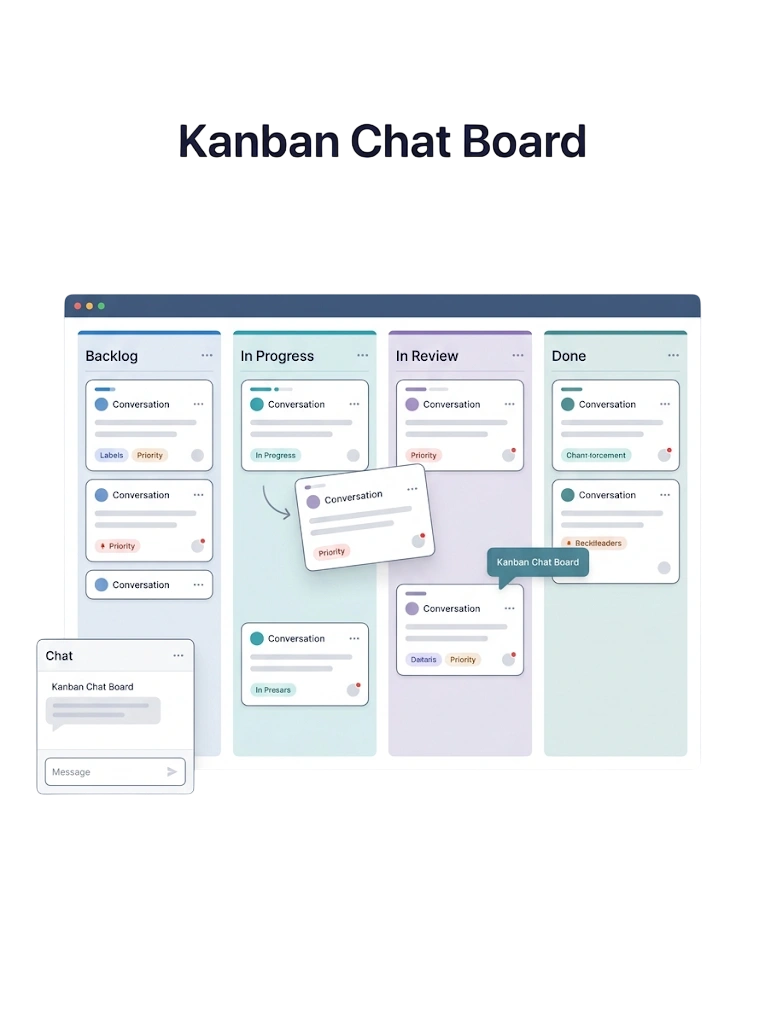
Organize WhatsApp Chats on a Kanban Board

See and manage every conversation visually — drag chats across custom stages so you always know what needs attention next.


Why Teams Choose Kanban Chat Board

Visual Stages

Organize chats into clear columns.

Drag-and-Drop

Move conversations across stages easily.

Status at a Glance

See what needs attention instantly.

Custom Columns

Match the board to your workflow.
Kanban Chat Board — GetBiz WhatsApp

Works With the Rest of Team Inbox & Chat CRM

Kanban Chat Board connects to every other part of Team Inbox & Chat CRM in GetBiz WhatsApp.

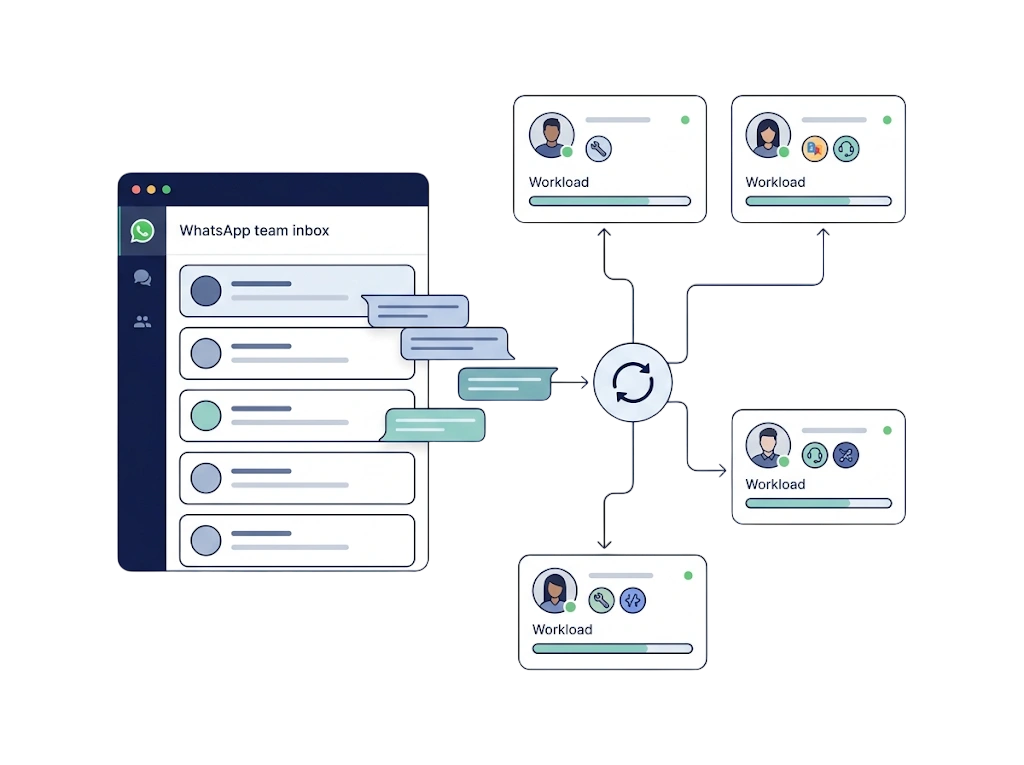
Shared Team Inbox
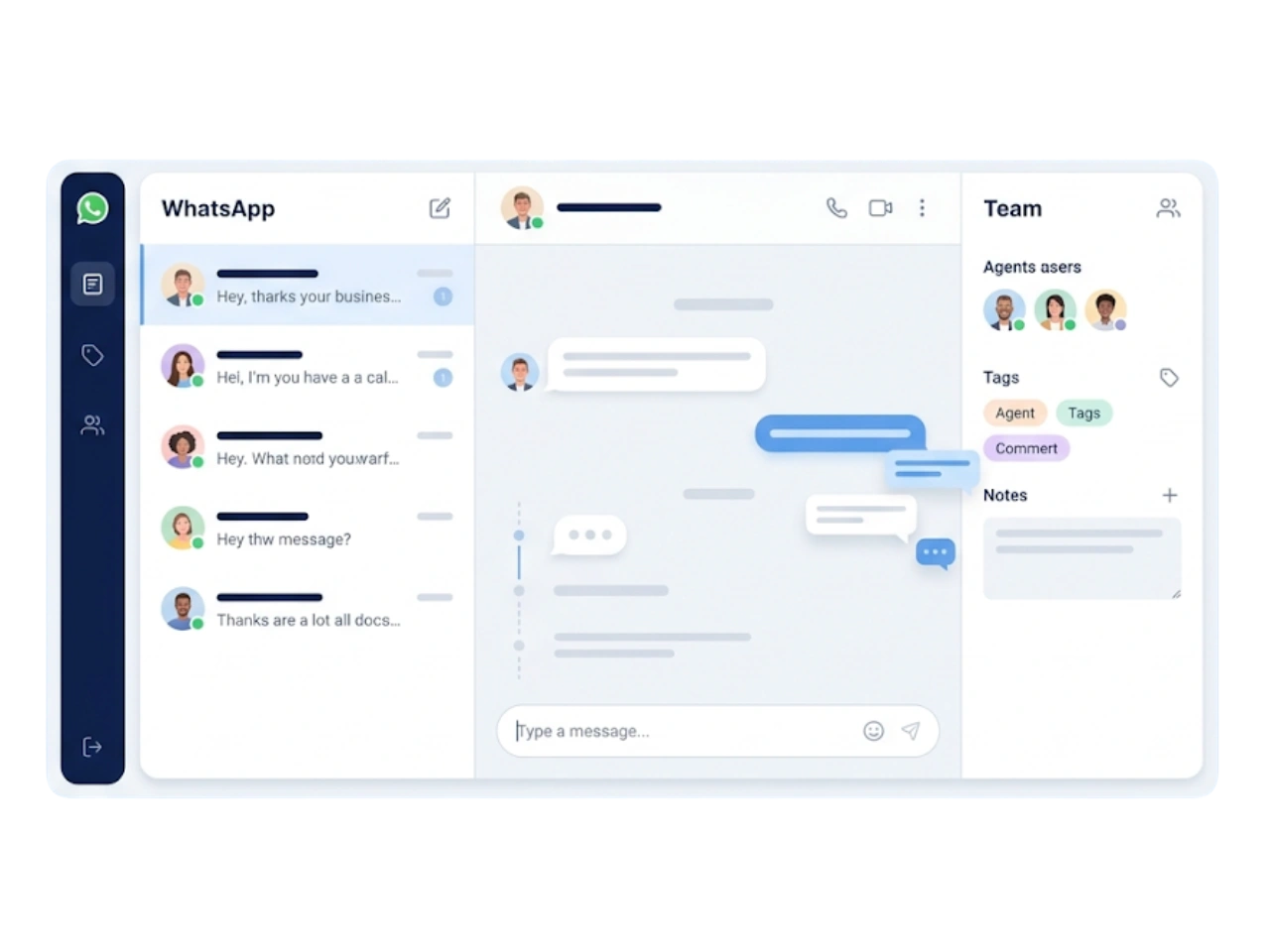
Bring every WhatsApp conversation into a single shared inbox where your whole team can reply, collaborate and never miss a message.
GetBiz WhatsApp shared team inbox

Chat Assignment & Agents

Automatically assign conversations to the right agent or team by skill, availability or round-robin.
GetBiz WhatsApp chat assignment & agents

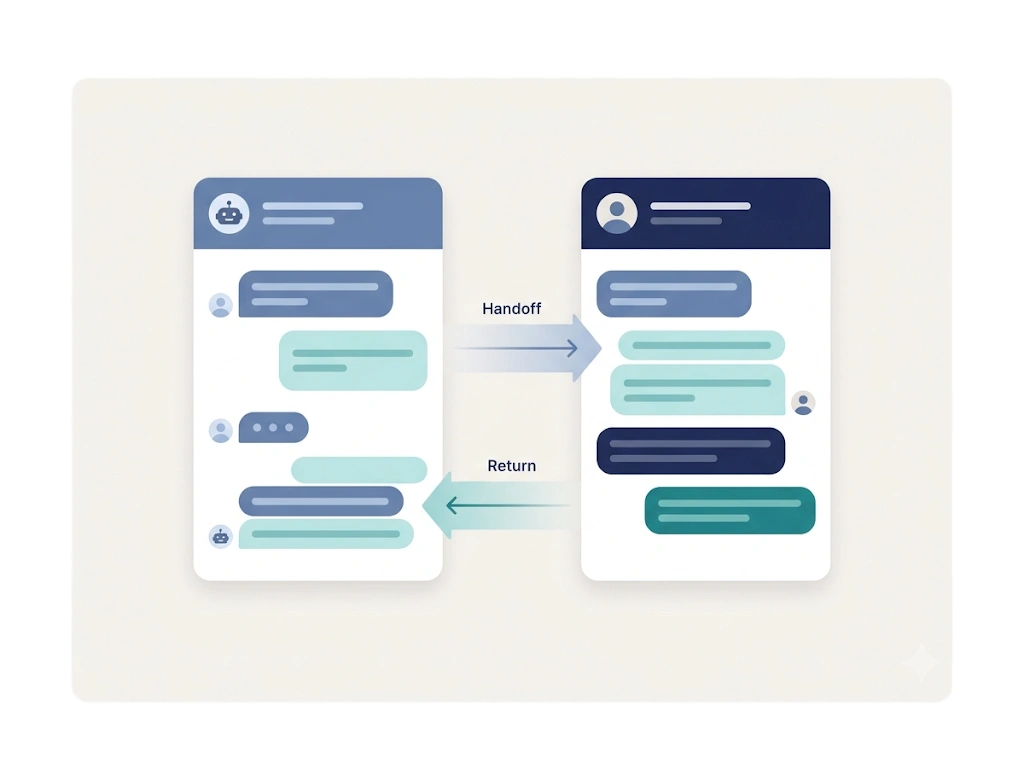
AI Handoff

Let the AI chatbot handle routine conversations and hand off to a human the moment it is needed.
GetBiz WhatsApp ai handoff

Discover the best WhatsApp solutions
with GetBiz Solutions today.

Pricing

Simple WhatsApp Pricing, All the Features You Need

Starter

₹999 / month

For small teams starting with WhatsApp automation.

  • WhatsApp Cloud API (1 number)
  • Visual flow builder
  • Team inbox (2 agents)
  • Bulk broadcasts & templates
  • WhatsApp forms
Start 15 Days Trial
MOST POPULAR

Growth

₹2,499 / month

For growing teams that need AI and multichannel.

  • Everything in Starter
  • AI chatbot & lead qualification
  • Instagram, Telegram & Messenger
  • Campaign analytics
  • Kanban chat board
  • More agents & numbers
Start 15 Days Trial

Enterprise

Custom

For large teams with advanced needs.

  • Everything in Growth
  • AI WhatsApp calling
  • Dedicated REST API
  • WhatsApp QR & warmer
  • Custom roles & permissions
  • Priority support
Book A Demo

Prices are billed annually. Need something custom? Talk to sales.


Businesses across India love & trust GetBiz!

See why teams choose GetBiz to automate WhatsApp.


See Kanban Chat Board in action.

Add Image Description

The Benefits of Automating Your Leave Management System

Learn how automating leave management can streamline HR processes, boost productivity, and ensure compliance with company policies.
Add Image Description

Role of Human Resource Management for Business Success
Explore how Human Resource Management plays a vital role in modern businesses by enhancing efficiency, engagement, and overall organizational success.
Add Image Description

Top 5 HRMS Software in Surat for Effective Workforce Management

Explore the top 5 HRMS software solutions in Surat that are transforming how businesses manage their workforce and HR processes.

Frequently Asked Questions

What is a Kanban chat board?

A visual board that organizes WhatsApp conversations into columns by stage, so you can drag chats across statuses and track progress.

Can I customize the columns?

Yes. You can set up stages that match your own sales or support workflow.

How does the board help my team?

It gives everyone a shared, at-a-glance view of every conversation and what needs attention next.

Can I move a chat between stages?

Yes. Simply drag a conversation from one column to another as it progresses.

Does the board update in real time?

Yes. The board reflects new messages and status changes as they happen.

Is the Kanban board good for support and sales?

Yes. It works for both — track leads through a sales pipeline or tickets through a support flow.